Music Release Planning: How to Structure Your Rollout With Planning Cycles
Plan a music release backwards from Spotify's 7-day pitch deadline. How un:hurd's Planning Cycles order your release tasks around your time and goals

By Sam Blackie, Head of Growth at un:hurd music
Last updated: 8 October 2026
Key Takeaways
- Plan a music release backwards from the release date. Deliver the music to your distributor and pitch it in Spotify for Artists at least 7 days before release, and allow Spotify 5 business days to get it live.
- un:hurd music's Planning Cycles build a release plan from your genre, career stage, the time you have and your release date, then take you through each task in order.
- Planning Cycles come in five plan types (release, business, live, creative and socials), and one cycle can combine up to two of them, such as a release plan with a socials plan.
- You don't need to finish every task. Completing 25% of the tasks in a Planning Cycle is enough to make a big difference on release day.
To plan a music release, fix your release date first, work backwards to the deadlines your distributor and Spotify for Artists set, and fill the weeks in between with tasks that fit the time you've got. Planning Cycles in un:hurd music do that ordering for you. You tell the app your genre, career stage, available time and release date, and it builds a task-by-task plan for your single, EP or album.
Planning Cycles replace the Release Cycle Tool this page used to describe. A Planning Cycle asks more questions as you create it so the plan and its recommendations fit you, and it covers live shows, content, socials and the business side as well as releases.
What a release planning platform does for an independent artist
A release planning platform turns a release date into a list of dated jobs, so the pitch, the content, the ads and the follow-up each happen at the point where they help most. For an artist fitting music around a day job, getting the order right matters more than having a long to-do list.
A plan also helps a release get noticed among everything else coming out. Luminate's 2025 year-end report counted an average of about 106,000 new tracks delivered to streaming services every day in 2025, up 7% on 2024, and 88% of the tracks on those services had fewer than 1,000 streams that year (Music Business Worldwide).
Other tools cover single parts of that plan. Analytics platforms such as Songstats and Chartmetric are good at showing what happened after a release, and pitching platforms handle the playlist step. Both work well alongside a plan that sets out what to do each week.
un:hurd music keeps the plan and the tools that act on it in one app: Planning Cycles, playlist pitching, the social ad tool, Smart Insights and Fan Hub.
How Planning Cycles order your music release tasks
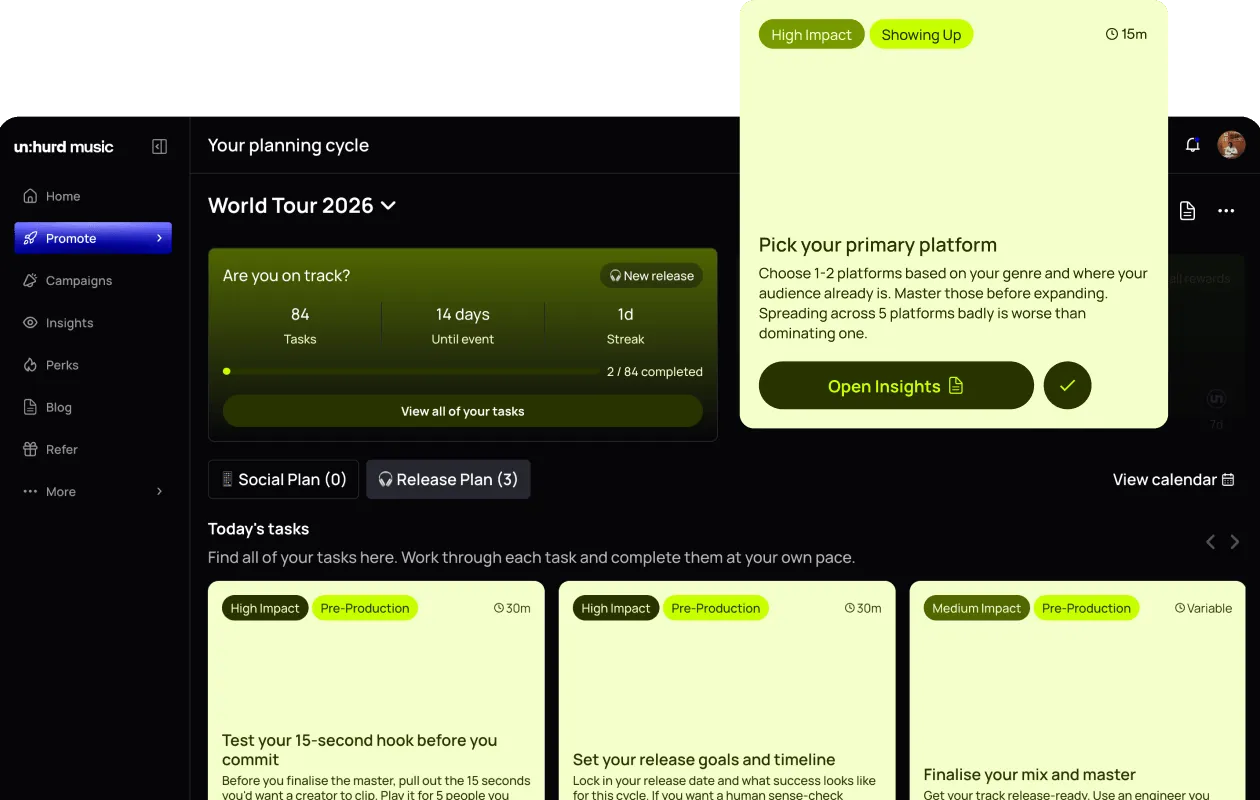
A Planning Cycle starts with a short set of questions, and un:hurd uses your answers to build the plan. When you create a cycle you're asked for:
- Your genre
- How much time you have available
- What you're planning for, such as a release or a gig
- Your career stage
- The date you're working towards
- Which plan types you want, from the ones un:hurd suggests
- A name for the cycle
un:hurd suggests plan types from your answers in the creation flow and from your onboarding answers. The tasks and timing are shaped to the time you actually have, your level and your genre, and the plan adapts as your answers and activity change.
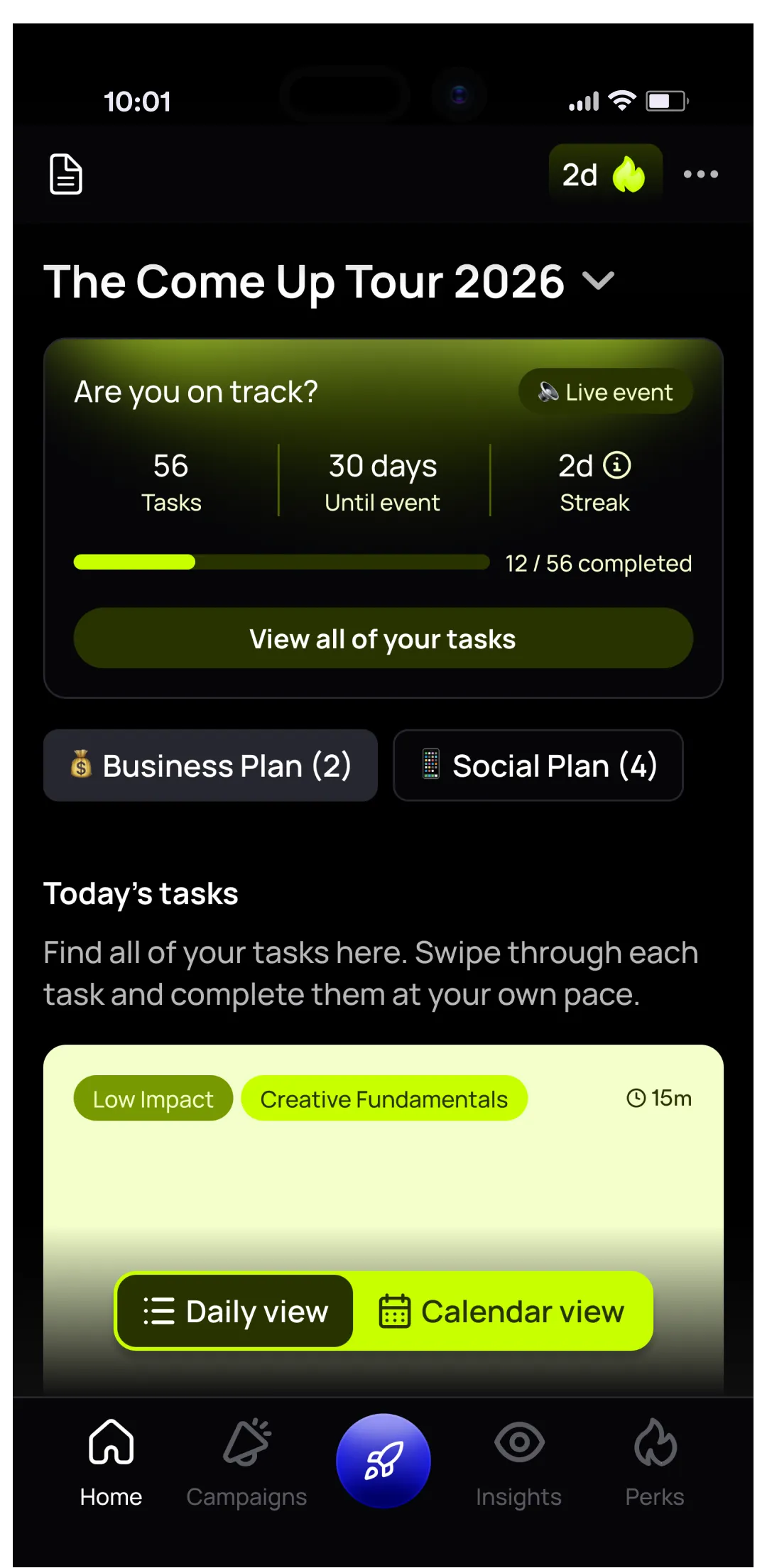
Once the cycle is set up you get a plan overview you can switch between different views, a notepad on each task for ideas and progress, and the option to export your tasks to your calendar so release jobs sit next to everything else in your week.
You can set up a Planning Cycle without a Spotify artist profile. un:hurd uses your Spotify profile to personalise the experience, though, so having your music on Spotify gets you the most out of it.
The five Planning Cycle plan types
Each plan type points your plan at a different part of your career, and you can run up to two at once.
- Release: planning and promoting a specific single, EP or album
- Business: the business side of your music
- Live: gigs and live performance strategy
- Creative: your creative output and content
- Socials: growing and managing your social presence
You could pair a business plan with a socials plan, for example. Keeping it to two means the task list stays doable.
The Spotify deadlines your release timeline has to hit
Every release timeline is built around a few fixed Spotify for Artists deadlines. These come from Spotify's own support pages.
- Deliver your music to your distributor at least 7 days before release so Spotify's editors have time to listen.
- Your release shows up in Music > Upcoming in Spotify for Artists around 48 hours after your distributor submits it. That's where you pitch.
- Pitch at least 7 days before release to choose which song goes into Release Radar. Without a pitch, Spotify picks the song from the release.
- You can only pitch one song at a time, and you can't pitch a song that's already live.
- Spotify needs 5 business days to get new music live. Music delivered later than that may go live a few days late.
If you're releasing an album or EP, a Countdown Page is worth planning for. You need at least 3,000 monthly active listeners (shown under Audience > Segments, not your overall monthly listeners), and singles aren't eligible. Spotify says that on average nearly 60% of people who pre-save an album stream it in its first week.
A practical tip that works with or without un:hurd: put your distributor delivery date in your calendar before anything else, and set it a week or two ahead of the 7-day pitch deadline. If a metadata problem holds up your release, you'll still have time to fix it and pitch.
For a week-by-week version of this timeline, read our guide on how to plan a music release.
Where playlist pitching and ads sit in your release rollout
Playlist pitching and ads are tasks inside your Planning Cycle, so they land at the point in the rollout where they'll help most.
Each un:hurd playlist pitch campaign has a stats screen that shows how your Spotify monthly listeners and followers change over the 4 weeks after the campaign starts. Monthly membership includes one £6 playlist pitch each month, and annual membership includes 12. Our playlist pitching guide covers how to write a pitch that lands.
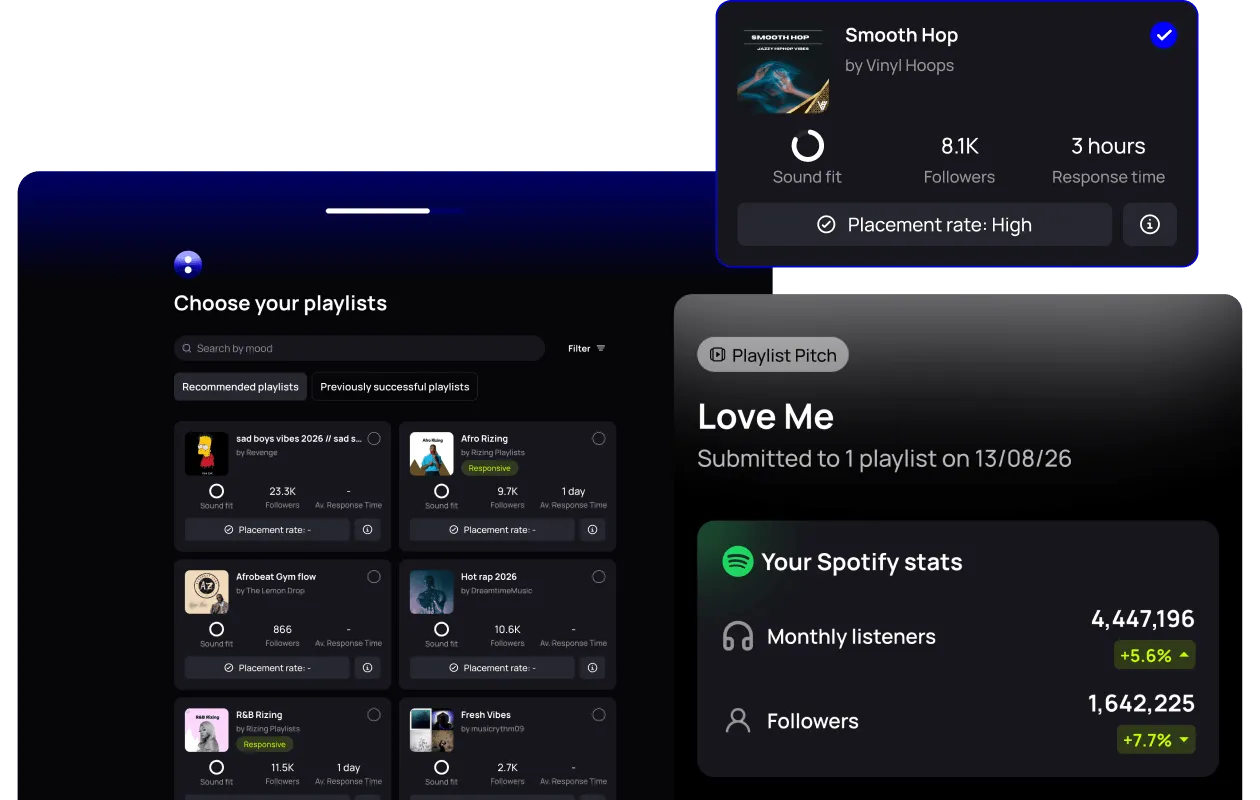
The social ad tool builds and runs campaigns on Spotify, Meta, TikTok and YouTube, with simple targeting or more specific targeting that you set. You don't need your own ad account, which removes a step the old Release Cycle Tool used to put in pre-release.
Reading what worked before your next release
After release day, the useful question is which parts of the rollout moved your numbers, so the next plan can do more of them.
Smart Insights reads your streaming and social data together and tells you the next move in plain language. It counts your fans per city across your connected platforms and flags when a city passes a milestone, which is a good prompt for where to target ads or book a show next time. Our guide to music analytics for independent artists goes into which numbers to watch.
In Spotify for Artists, the release engagement view shows how many monthly active listeners streamed your new music each day for the first 28 days after release.
Link in bio and your release: Fan Hub
Fan Hub is un:hurd music's link-in-bio page. It's a micro website you build in minutes with the un:hurd builder, and you can customise the design to suit your release. Because Fan Hub sits in the same app as your Planning Cycle, your release schedule and your link-in-bio page are managed in one place.
A Fan Hub can hold:
- your bio, which AI can help you write
- your new track and its artwork
- upcoming events with ticket links
- featured YouTube videos
- your social and streaming links, pulled from your profile, plus any links you add yourself
- links to your community, such as a WhatsApp group or an Instagram broadcast channel
- email and phone number sign-ups, so you can build your own mailing list
- a Buy Me a Coffee link, so fans can support you directly
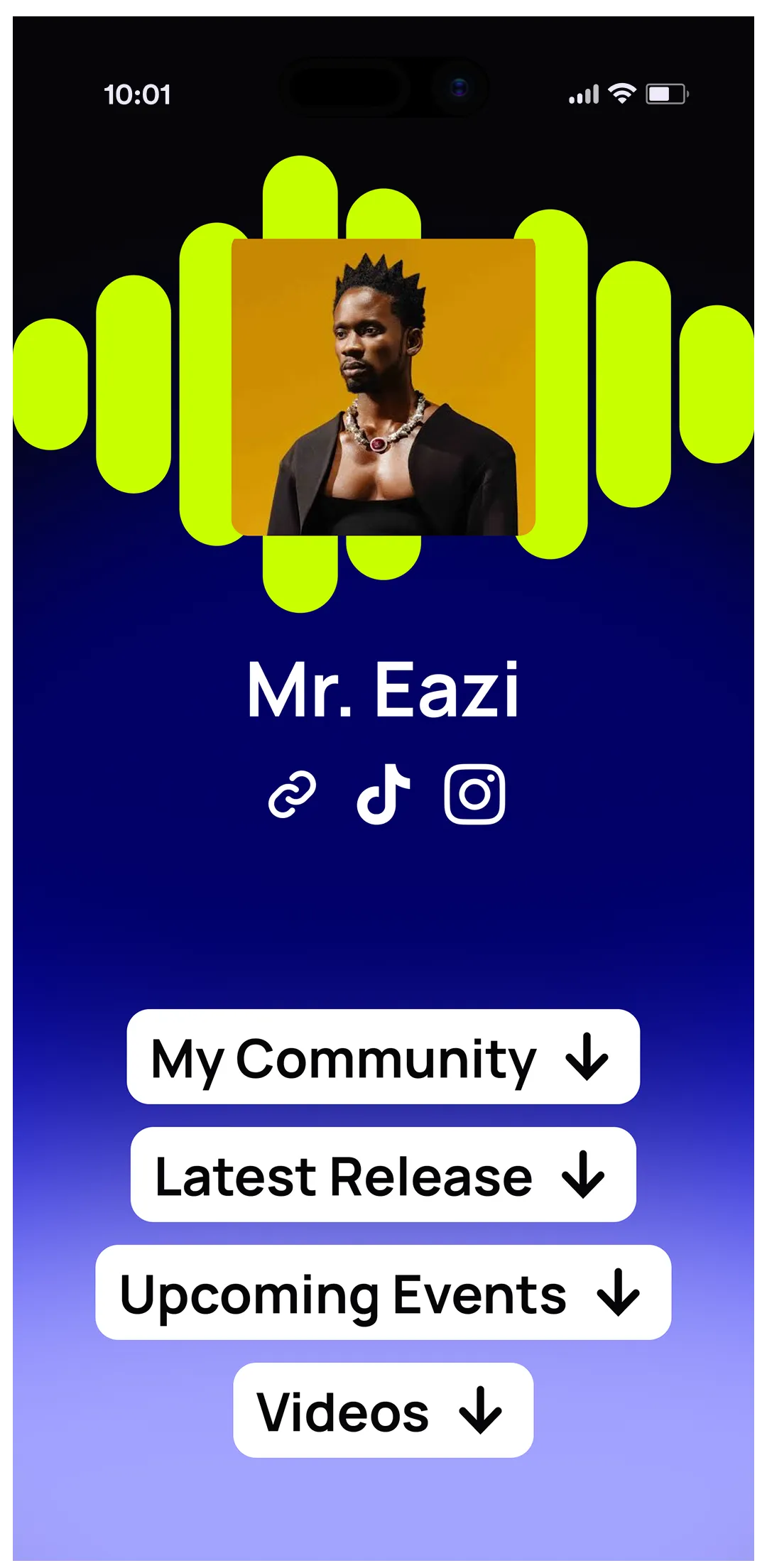
On release day, update your Fan Hub with the new track and artwork and make sure the link is in your bio on every platform. The people your pitching and ads reach then have one place to listen, follow you and join your mailing list.
How much of your Planning Cycle you need to finish
You don't need to tick off every task for a plan to work. Completing 25% of the tasks in a Planning Cycle is enough to make a big difference on release day, so treat the plan as guidance and do the tasks that fit your week.
If you want to see how Planning Cycles fit with the rest of the app, read about the rebuilt un:hurd app for 2026.
The short version
Start with your release date and work backwards from Spotify's deadlines: deliver and pitch at least 7 days before release, and allow 5 business days for the music to go live. A Planning Cycle in un:hurd turns your genre, career stage, time and release date into an ordered list of tasks, with pitching and ads built in. You can combine a release plan with one other plan type, and finishing a quarter of the tasks is enough to make a real difference. Fan Hub gives fans one link for the new track, your events and your mailing list.
If you've got a release date in the diary, start a release Planning Cycle in un:hurd and see your plan before your next distributor deadline.
About the author
Sam Blackie is Head of Growth at un:hurd music.