How to Use Automated Music Marketing Tools for Your Release Strategy
How automated music marketing tools run Spotify, Meta, TikTok and YouTube ads for your release, which metrics to track, and a real $400 campaign example.
By Sam Blackie, Head of Growth at un:hurd music
Last updated: 8 October 2026
Key Takeaways
- Automated music marketing tools build, target and run ads for your release from one place, so you don't have to learn Meta Ads Manager or TikTok Ads Manager or set up your own ad accounts.
- un:hurd music's social ad tool runs campaigns on Spotify, Meta, TikTok and YouTube, with simple targeting or more specific targeting you set yourself. un:hurd charges a fee of 20% of your ad spend.
- Judge a music ad on its cost per result for the action you paid for, such as new listeners, link clicks or video views, and then check whether your Spotify for Artists numbers moved in the weeks after.
- Atomic Bruno spent $391 of a $400 ad budget on a Spotify audio campaign through un:hurd, targeting Brazil, and gained 1,067 new listeners at about 37 cents each.
Automated music marketing tools take your release, a goal and a budget, and handle the ad setup, targeting and delivery across platforms like Spotify, Instagram, Facebook, TikTok and YouTube. To use one well for a release, set your release goal and timeline first, give each ad one clear objective, base your targeting on where your listeners already are, and judge the campaign on cost per result.
An ad does most when it's booked as one task inside a release plan, at the point in the rollout where it can send people to something worth hearing.
What an automated music marketing tool handles for you
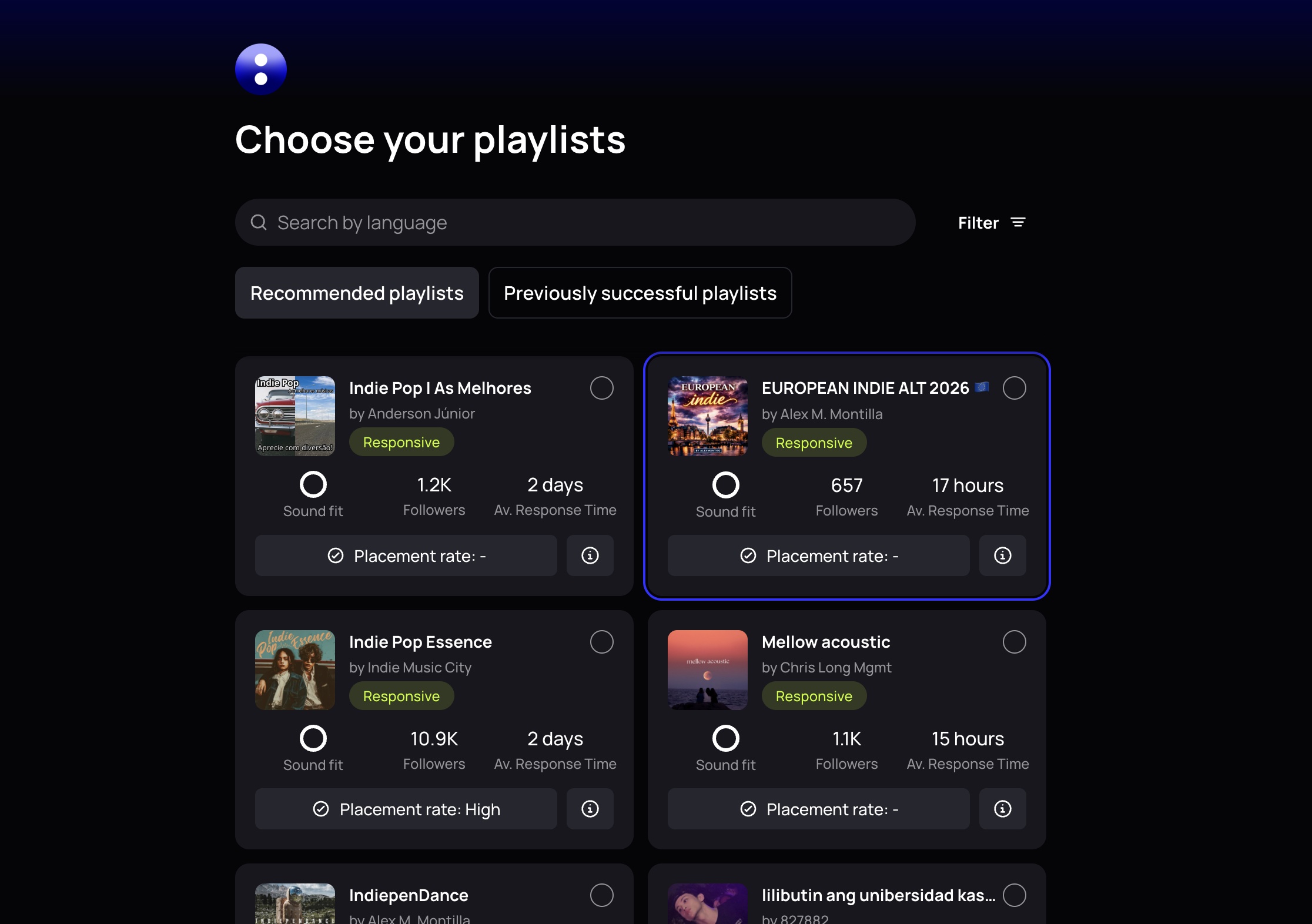
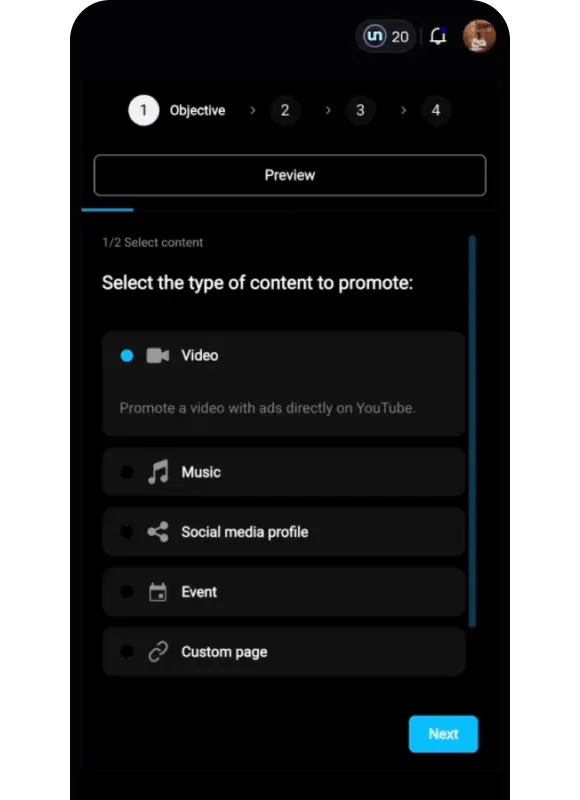
An automated ad tool replaces the setup work of an ads manager with a few guided choices. In un:hurd music's social ad tool, booking a campaign from the Social Ads tab takes you through four steps.
1. Pick your goal and content
Choose what you want the ad to do: send people to your release on Spotify or Apple Music, grow your Instagram or TikTok following, get views on a YouTube video, or send fans to a landing page. Then pick the campaign objective, such as profile visits or link clicks, and the delivery is optimised for that objective.
2. Add your creative
You can promote a Facebook or YouTube post that's already doing well by connecting the account, or upload a video or artwork straight into the builder. Search for your track and the landing page pulls in the cover art and release details for you.
3. Choose your targeting
Simplified targeting lets un:hurd pick your audience based on your genre. Custom targeting lets you filter by location, age and artist interests, such as fans of a similar artist.
4. Set your budget and launch
Campaigns start from $100. The builder shows estimated results before you commit, and once you launch, the campaign is reviewed and live within 48 hours.
You don't need your own Meta, TikTok or Google ad account at any point.
Set the release goal and timeline before you book ads
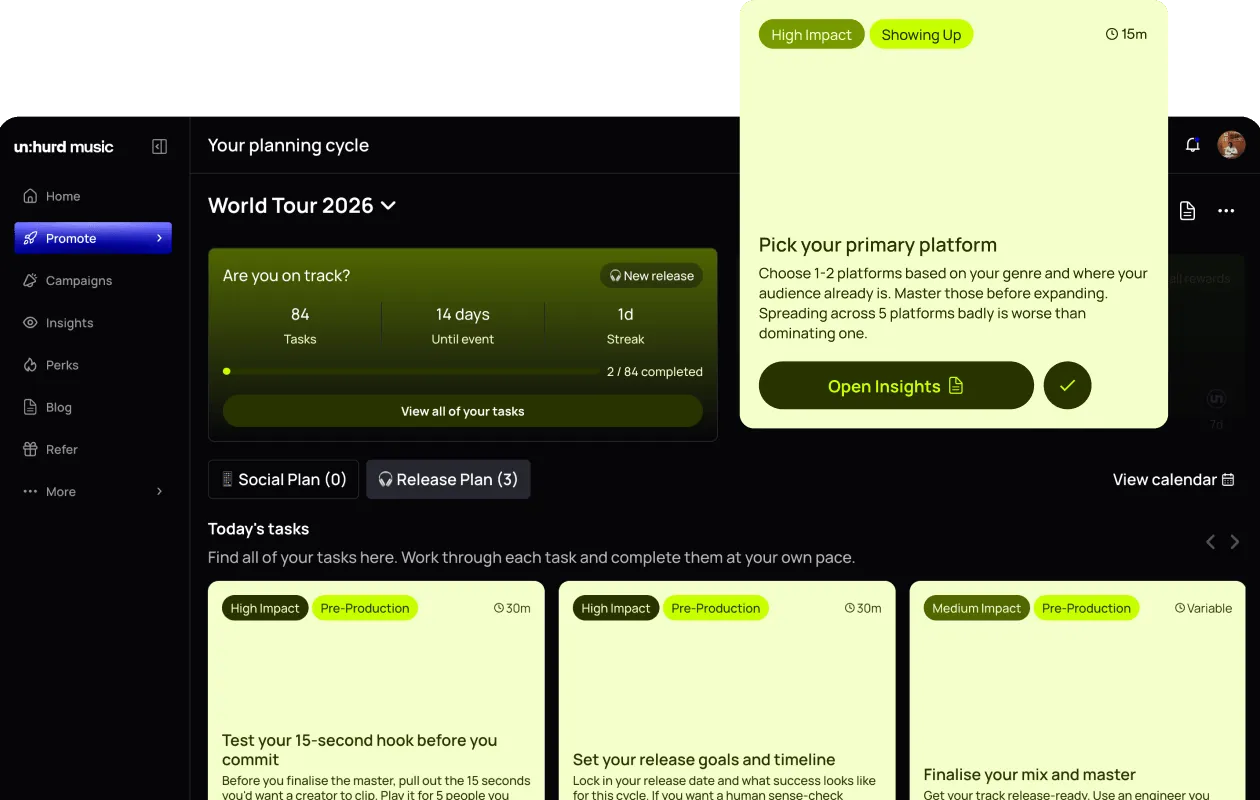
Decide what the release needs before you decide what the ad does. A pre-release ad might grow your Instagram following so more people see the announcement, while a release-week ad on Spotify sends people straight to the new track.
A release Planning Cycle in un:hurd builds the plan around your goal and the time you have, and walks you through each task in order, so ads land where they fit in the rollout. Our guide on how to plan a music release sets out an 8-week timeline if you want to map it yourself.
If you're also considering Spotify's own display campaigns, Marquee can only be booked for new releases within 21 days of the release date, so it needs a slot in your plan early.
How automated platforms use your data to target music ads
Good targeting starts from where your listeners already are. Automated platforms use your streaming and social data to suggest who to reach, and you can check that data yourself before you set a custom audience.
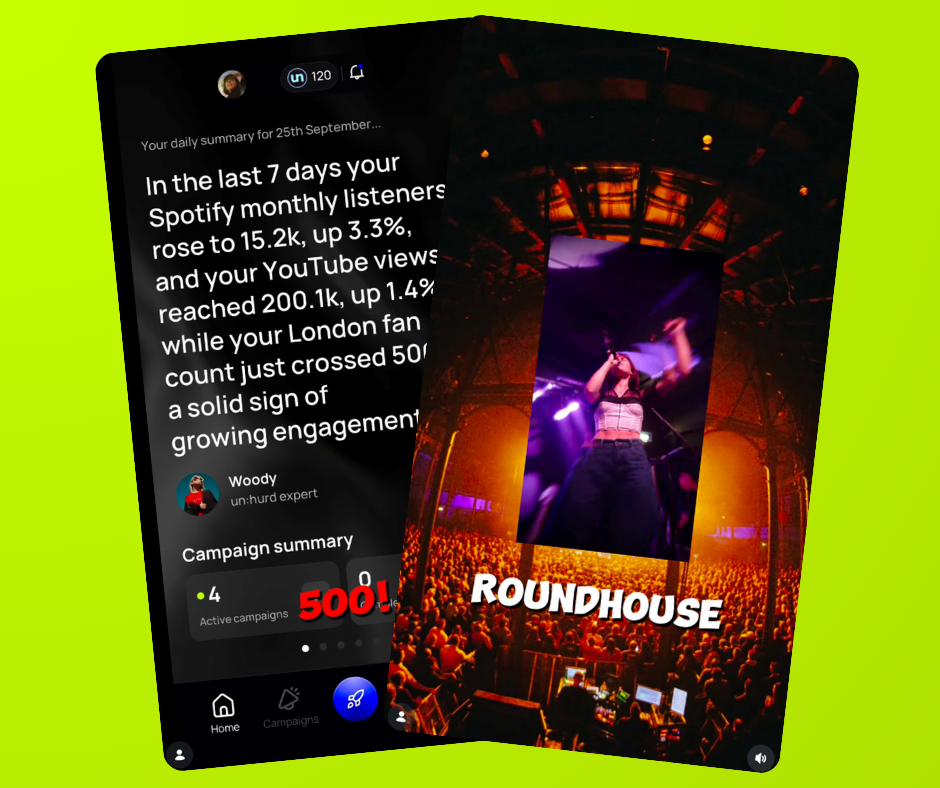
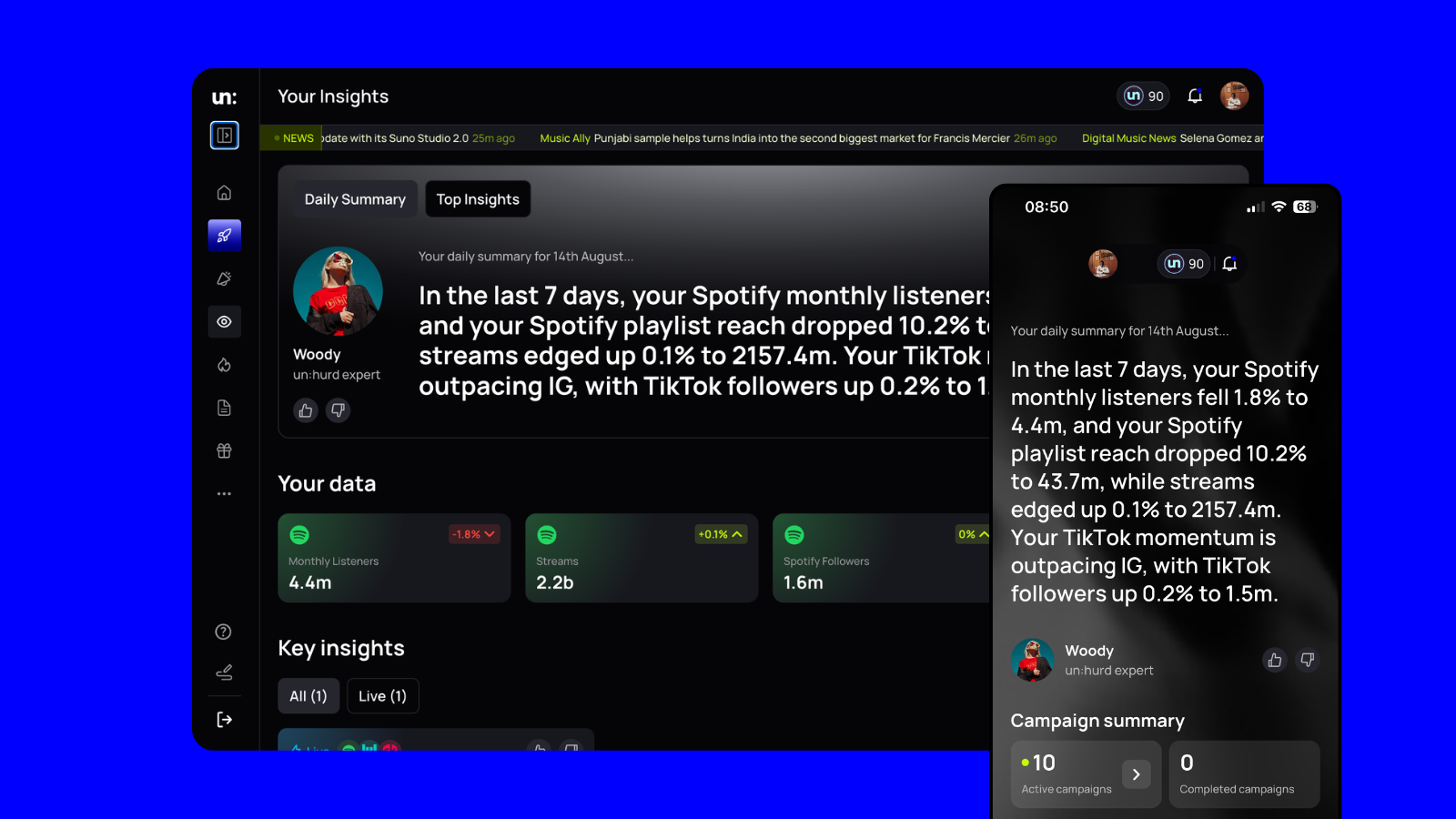
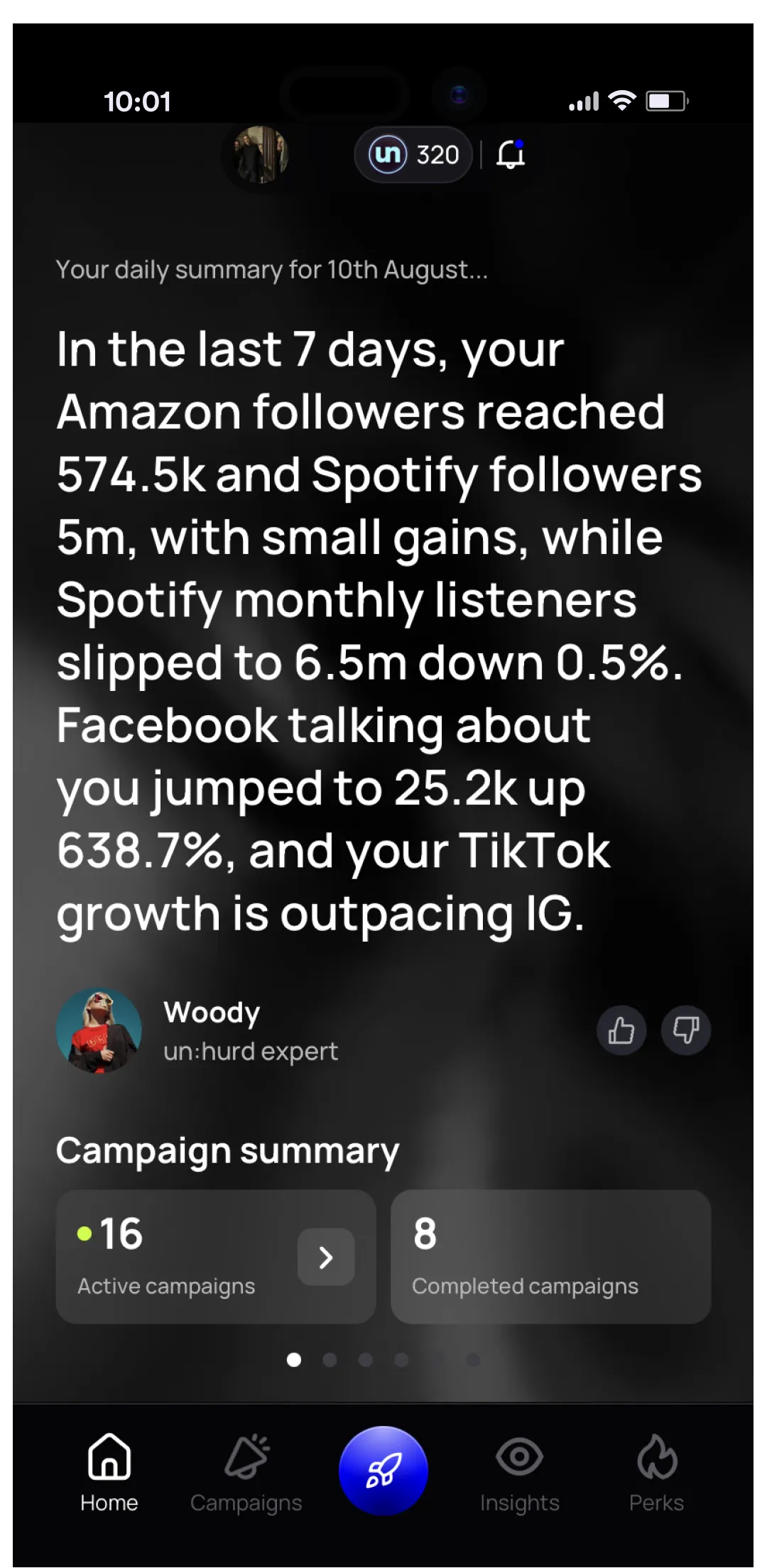
Smart Insights in un:hurd counts your fans per city across your connected platforms and flags when a city passes a milestone. A city that's growing is a strong candidate for location targeting.
In Spotify for Artists, demographics and locations are only available for the last 28 days, so check them close to when you book. The Audience > Segments view splits your listeners into super listeners (15 or more intentional streams in 28 days), moderate listeners (3 to 14) and light listeners (1 to 2). Spotify says listeners who actively stream a song play that artist 4 times more over the next six months, so ads that get people streaming you on purpose are worth prioritising.
Automated music ad tools vs running Meta or TikTok Ads Manager yourself
Running ads yourself in Meta Ads Manager or TikTok Ads Manager gives you full control and no platform fee on top of your spend. It also means setting up your own ad accounts and payment methods, learning each platform's objectives and settings, and deciding which of the platform's suggestions to follow.
An automated tool takes that setup away and puts every platform in one place. The trade-offs are a fee (un:hurd's is 20% of ad spend) and fewer settings to adjust than a full ads manager gives you.
"Ads managers are built for experienced marketers, not artists, so the learning curve is huge. The platform is also trying to make as much money as it can, so its suggestions aren't always good for the person booking the ad. Add in knowing that you need to drive actions like smart link clicks and engagement on posts, beyond views and clicks, and it's too much for an artist who's already juggling a lot." Sam Blackie, Head of Growth at un:hurd music, who has worked on artist ad strategy
If you already know your way around Ads Manager and enjoy tweaking campaigns, doing it yourself can work out cheaper. If you'd rather spend that time on the music, an automated tool is the quicker route.
Which metrics to track on music ads
Track the cost of the result you paid for first, then whether it changed anything on your profiles.
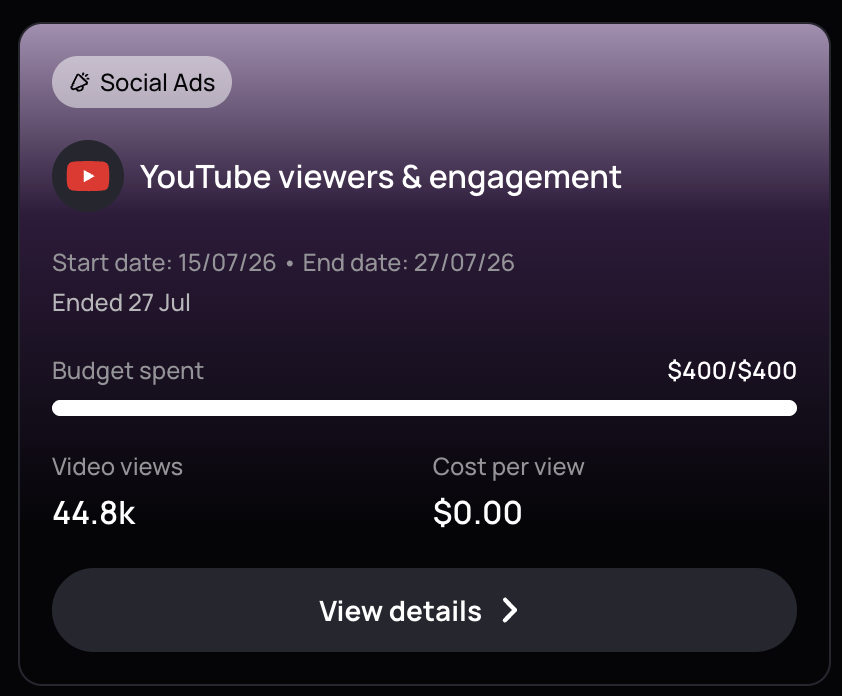
In un:hurd, the Campaigns tab shows each social ad with its start and end dates, budget spent, number of results and cost per result, and you can open the full report for any campaign. Results are counted against the objective you chose, which for a YouTube views campaign means views.
un:hurd also emails you a link to a full report for each campaign. It breaks the results down by audience, shows impressions, reach, clicks, streams and new listeners over the life of the campaign, and tracks your Spotify listeners, followers and popularity from the start of the campaign to a month after it ends.
After the campaign, look at these in Spotify for Artists:
- New active listeners and new listeners in the audience movement view, which covers the last 28 days
- Followers. Spotify says listeners are 3 times more likely to stream an artist in the next six months after following them.
- Saves and playlist adds on the track you promoted
Then check Smart Insights for any city that moved, since that tells you where to aim the next campaign.
A practical tip that works on any platform: write down the cost per result you're aiming for before the campaign starts, so you have a number to judge it against when the results come in.
Worked example: Atomic Bruno's Spotify campaign in Brazil
Atomic Bruno ran a Spotify audio ad campaign through un:hurd's social ad tool from 4 April to 1 July 2026, with an audience acquisition objective and listeners in Brazil as the target. The budget was $400 of ad spend, with un:hurd's 20% fee on top, and $391 of it was spent.
The campaign report showed:
- 1,067 new listeners, at about 37 cents of ad spend each
- about 203,000 impressions, reaching about 158,000 people
- about 6,100 clicks
- about 1,290 streams, or 1.2 streams per listener
Nearly all the new listeners came from one audience. A rock audience on mobile in Brazil brought in 1,063 of them at about 33 cents each, while an indie audience in the same market brought in 4 at $1.64 each. Checking results audience by audience shows you where to put the budget next time.
Atomic Bruno's Spotify monthly listeners went from about 1,000 when the campaign started to about 12,000 when it ended, and about 14,100 a month later. Other things were happening for the artist over those three months too, so read that as the picture around the campaign rather than a result of the ads alone.
The short version
Automated music marketing tools let you run ads on Spotify, Meta, TikTok and YouTube without learning each ads manager or setting up ad accounts. Set your release goal and timeline first, give each campaign one objective, and target from where your fans already are using Smart Insights and Spotify for Artists. Judge every campaign on cost per result, then check new active listeners, followers and saves in the weeks after. un:hurd's social ad tool starts at $100 a campaign with a 20% fee on ad spend.
If you've got a release coming up, start a Planning Cycle in un:hurd to set your timeline, then book your first ad from the Social Ads tab at the point in the plan where it fits.
For a wider look at the tools available, see our comparison of the best music promotion platforms, and for reading your numbers, our guide to music analytics for independent artists.
About the author
Sam Blackie is Head of Growth at un:hurd music and has worked on artist ad strategy.