How Playlist Relevance Is Measured: un:hurd Sound Fit Explained
Learn how un:hurd measures genre-based sound fit for playlist pitching, what its scores mean, and how to shortlist relevant playlists before submitting.
Key Takeaways
-
Sound fit in un:hurd uses genre data only and excludes listener overlap, audio analysis, and streaming data.
-
Numeric genre profiles let your release match neighbouring sounds even when a curator uses a different genre label.
-
Every score scales between 0% and 100% relative to the live playlist catalogue at that moment, so the numbers aren't absolute grades.
-
A high sound-fit score reflects genre closeness and doesn't predict placement odds or guarantee acceptance.
-
You still need to listen to recent tracks and check playlist safety before pitching because sound fit measures genre match alone.
What Sound Fit Means for Playlist Pitching
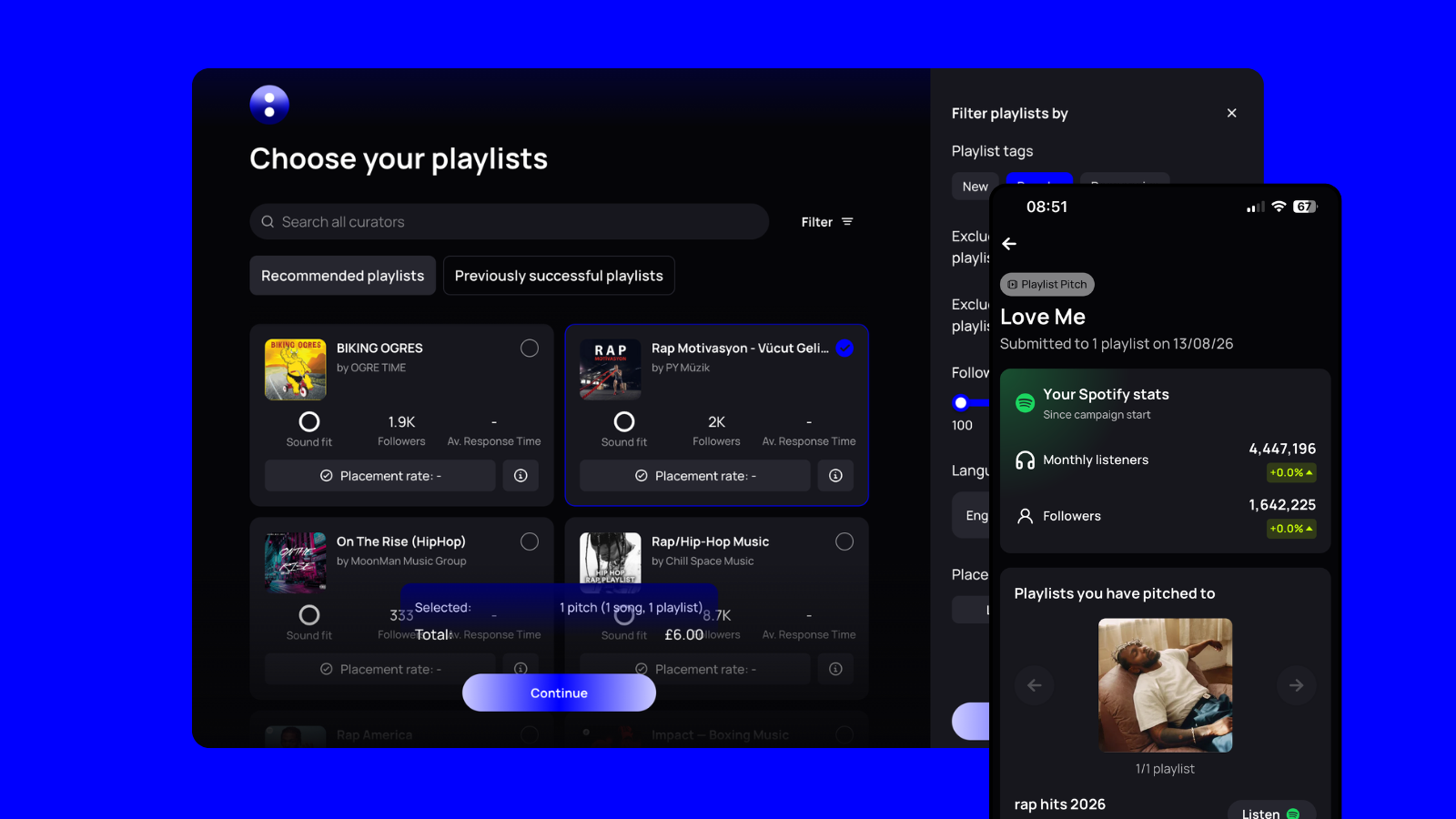
For playlist pitching, un:hurd's sound fit gives each playlist a 0 to 100% score based on how closely its genres match your upcoming release. That score relies on genre data alone and leaves out listener overlap, audio analysis, and streaming data. A high score signals a close genre and sound match, and audience behaviour plays no part in un:hurd's scoring.
Knowing how a platform measures relevance saves hours if you're shortlisting playlists around a day job and a limited budget. Standard playlist promotion advice tells you to search Spotify by hand and track curators in a spreadsheet before release day. un:hurd gives you a stronger starting point with genre-based sound fit, so you can narrow your shortlist and inspect relevant playlists before spending money on a pitch.
Can Different Genre Labels Still Match?
Yes, a playlist can match your track closely even when you and the curator choose different genre labels. When a curator lists a playlist on un:hurd, they tag it with the genres it plays. The un:hurd team then reviews that playlist before it goes live to artists.
To compare styles beyond exact wording, un:hurd represents each genre as a numeric profile. Genres that sound alike sit close together, while unrelated styles sit far apart. Because neighbouring genres share that proximity, you won't miss a relevant playlist just because a curator filed it under a sister subgenre.
For an illustrative example, imagine you tag your release as deep house while a curator tags their playlist as tech house. Both genres sound alike, so that playlist can still show up as a strong fit without sharing your exact label. You can focus on tagging your track honestly instead of guessing how curators describe theirs.
How the Sound-Fit Score Is Calculated
When you pitch a release, un:hurd combines the genres you choose into one profile and measures how close it sits to every live playlist's profile in the catalogue. Every tag you select feeds into that single release profile, so each genre choice directly shapes how closely your track matches a curator's playlist.
Honest genre tags give you sharper matches than broad, hopeful ones. Adding a popular genre that barely fits your song pulls your combined profile away from curators who actually play your sound. Stick to the labels that genuinely describe the track you're pitching, whether you use un:hurd or shortlist playlists by hand.
What 0% and 100% Mean and Why Scores Are Relative
Sound-fit scoring scales your release's genre closeness across every live playlist in the un:hurd catalogue. The closest possible genre match sits at 100%, and the least related playlist in the catalogue sits at 0%. Because that 0 to 100% scale depends on the playlists available when you search, every score measures relative closeness rather than an absolute rating.
A high score tells you that a playlist's tagged genres sit close to your release compared with other live options. That percentage won't predict your odds of getting accepted, and it doesn't grade how well a curator runs the playlist. Use strong scores to narrow your shortlist quickly, so you focus your time on the closest genre matches first.
How Recommendations, Filters, and Eligibility Work
un:hurd orders your playlist recommendations by sound fit, putting the closest genre matches near the top. Rather than showing every artist in a genre the exact same shortlist, un:hurd mixes a little variety into those top results. That extra variety stops the same few playlists from taking every pitch while keeping relevant matches easy to find.
Filtered searches for playlist submission also sort by sound fit. Because search filters don't recalculate how closely a playlist matches your release, every playlist displays the exact same score wherever it appears. You can switch between your main recommendations and a filtered list knowing each number stays consistent.
Eligibility rules decide which playlists can reach your recommendations in the first place. un:hurd only recommends approved, active playlists that sit above a minimum follower count. Although un:hurd keeps that exact follower threshold private, those upfront checks save you from spending a spare evening sorting through inactive lists.
Sound Fit Versus Follower Count, Safety, and Placement Rate
Sound fit only tells you how closely a playlist's genres match your release, so useful playlist analysis treats follower count, safety, and placement rate as separate checks. If you blur those signals together, you can end up pitching a high-scoring playlist that looks big on paper but lacks genuine listeners.
Follower count hints at potential reach, yet a high total never proves authentic listening or safe curation. Spotify's artificial streaming guidance warns that services promising streams or playlist placement for money break its terms, and Spotify advises researching promotional methods and watching for sudden stream spikes or short-lived follower growth. Before you pitch, you can check curator activity and suspicious traffic with our guide on how to evaluate Spotify playlist quality.
Placement rate adds a third signal by showing the share of past reviewed pitches a curator has accepted. A high placement rate still won't guarantee your track gets added, and a low rate doesn't mean the playlist's genres are wrong for your song.
How Artist-Averaged Placement Rate Works
A playlist's placement rate in un:hurd shows the share of reviewed pitches a curator accepted, averaged per artist. Weighting each artist equally stops one frequent submitter from skewing the number for everyone else. Because a single review doesn't tell you much on its own, un:hurd only displays a placement rate once a curator has reviewed pitches from at least three different artists.
An illustrative example with made-up numbers shows how per-artist averaging prevents a skewed rate. Suppose a curator accepts 8 of 10 reviewed pitches from Artist A (80%). Artist B gets 0 acceptances from 1 reviewed pitch (0%), and Artist C gets 1 from 1 (100%).
Pooling all 12 reviewed pitches together produces 9 acceptances (75%) because Artist A's 10 submissions dominate the total. By contrast, averaging the three individual artist rates (80%, 0%, and 100%) puts the placement rate at 60%, so you don't overestimate how open the curator is to new artists.
Practical Limitations and Manual Checks Before You Pitch
Genre-based sound fit narrows down a large catalogue quickly, yet a genre profile can't hear your recording. Because un:hurd builds each score from genre tags alone, two releases with identical tags can still differ in tempo, mood, vocal delivery, or language.
Listening to a playlist's most recent additions catches those details before you spend your pitching budget. Play three or four tracks near the top, and check whether your song sits naturally beside what the curator adds today. If a curator favours acoustic instrumentals and your track carries a heavy synth vocal, you'll know to move on. Once you've confirmed that musical match, our playlist pitching guide covers timing your outreach and writing a clear pitch.
A 20-Minute Playlist-Shortlisting Checklist
You can shortlist your playlist targets in 20 minutes with four quick checks, whether you pitch manually or use a platform.
Pick accurate genres first
Write down the two or three genres that genuinely describe your release, and leave out broad tags that blur your sound.
Listen to recent additions
Play three or four of the latest tracks added to each playlist so you can hear whether your tempo and production fit the curator's taste.
Check activity beyond follower counts
Look for recent update dates and steady growth patterns, and skip playlists with sudden follower spikes or vague curator details.
Set a firm pitching budget
Decide how many curators you'll pitch before you start, so you spend your time and money on realistic fits.
If you'd rather skip the manual spreadsheet work, select your release genres and inspect your genre-matched shortlist in the un:hurd app. Check each playlist's sound-fit score alongside its placement rate and recent tracks before you commit a pitch.