SEO for Musicians: How to Get Found on Google, Spotify, and AI Search in 2026
A practical guide to SEO for musicians in 2026. Covers Google, Spotify, YouTube, Apple Music, and AI search optimisation for independent artists at any level.
Key Takeaways
- SEO for musicians isn't just about your website. It's about making your music, your name, and your story findable across Google, Spotify, YouTube, Apple Music, and AI tools like ChatGPT and Perplexity.
- The single most impactful thing you can do is get your metadata right. Your artist name, genre tags, track titles, and descriptions determine how every platform categorises and surfaces your music.
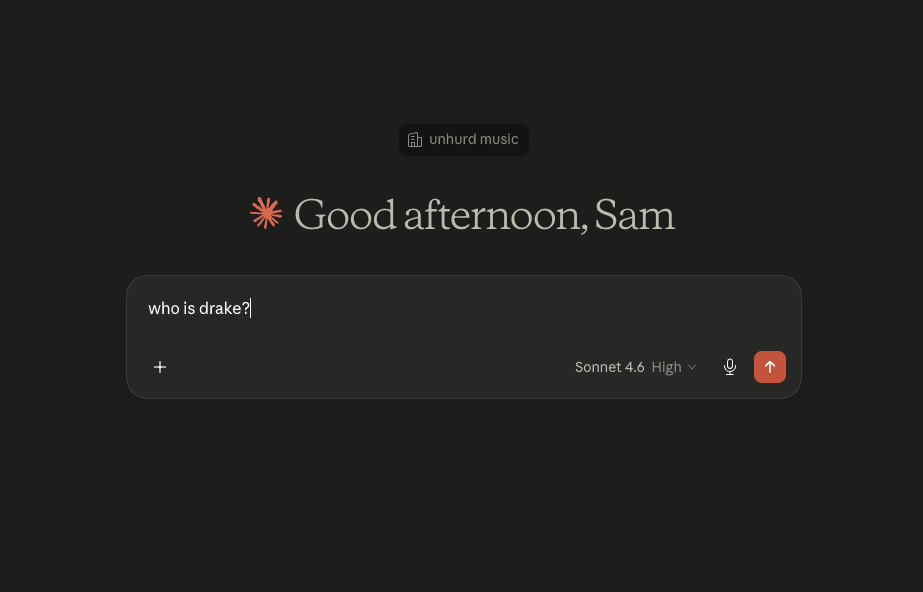
- Spotify now integrates with ChatGPT, which means how you describe your sound in your bio and metadata directly affects whether AI tools recommend your music to listeners.
- You don't need a website to start doing SEO. Claiming and optimising your artist profiles on Spotify, YouTube, and Apple Music is free and has a bigger impact on discoverability than most artists realise.
- Consistency across platforms matters more than perfection on any single one. When your name, bio, genre, and visual identity match everywhere, search engines and AI tools can confidently connect the dots and surface you to the right listeners.
What Is SEO for Musicians (and Why Should You Care)?
SEO stands for search engine optimisation. For most businesses, that means getting found on Google. For musicians, it means something broader: making sure people can find you wherever they're searching for music.
That includes Google, but it also includes Spotify's search bar, YouTube's recommendations, Apple Music's browse categories, and increasingly, AI tools like ChatGPT, Perplexity, and Google's AI Overviews. Each of these platforms has its own search system, and each one uses the information you provide (your metadata, bios, descriptions, and tags) to decide whether to show your music to someone.
Here's why this matters for independent artists specifically: you don't have a label doing this for you. Major-label artists have entire teams managing their metadata, their profile optimisation, their YouTube tags, and their press presence. As an independent musician, you're that team. The good news is that most of this work is straightforward once you know what to do, and most of your competitors aren't doing it at all.
The artists who show up when someone searches "chill indie folk 2026" or asks ChatGPT for "something like Phoebe Bridgers but more upbeat" aren't necessarily making better music. They're just better described.
Let's go platform by platform.
Google: Your Name, Your Music, Your Knowledge Panel
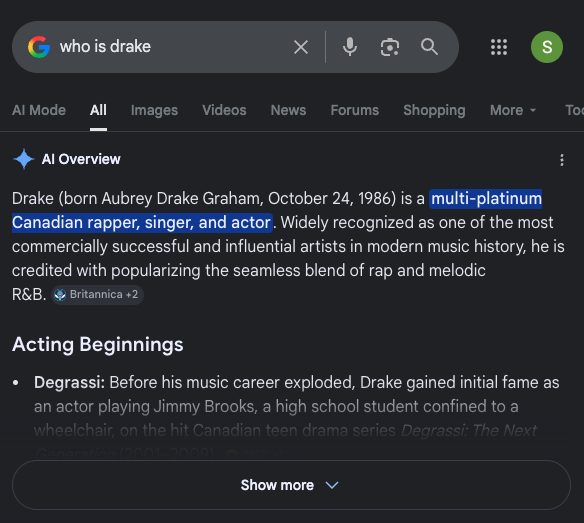
When someone Googles your artist name, what comes up? For most independent artists, the answer is a scattered mix of streaming links, maybe a social profile, and not much else. That's a missed opportunity, because Google is often the first place a curious listener, a playlist curator, or a blog writer goes to learn more about you. Most always go to view the AI summary first too!
Claim your Google Knowledge Panel
If you've released music through a distributor, Google may have already created a Knowledge Panel for you (the box that appears on the right side of search results with your photo, bio, and streaming links). You can claim this through Google's knowledge panel verification process, which gives you control over the information displayed.
Once claimed, make sure it's accurate: correct artist name, up-to-date photo, links to your active profiles, and a description that matches your bios on other platforms.
Make your name Googleable
This sounds obvious, but it trips up more artists than you'd think. If your artist name is a common word or phrase, Google will struggle to associate searches with you specifically. If you can't change your name, you can help by being consistent everywhere: use the exact same spelling, capitalisation, and formatting across every platform, every bio, and every press mention.
The more Google sees your artist name associated with music-related pages (your Spotify profile, your YouTube channel, your social media, any press coverage or blog features), the more confidently it surfaces you for name searches.
Do you need a website?
Honestly? Not necessarily, at least not as a starting point. A well-optimised set of platform profiles (Spotify, YouTube, Instagram, Apple Music) will do more for your discoverability than a basic one-page website. But if you do have a website, it becomes a powerful SEO asset. It's the one place on the internet you fully control, and it gives Google a home base to anchor all your other profiles to.
If you have a website, focus on:
- An artist bio page with your name in the page title, using the same language and genre descriptions as your streaming profiles
- An embedded Spotify player or links to your latest release
- A press/EPK page with downloadable photos, your bio in multiple lengths, and links to any coverage or features
- Basic technical SEO: a clean URL structure, fast loading speed, and mobile responsiveness
If you don't have a website yet, don't let that stop you from doing everything else in this guide. The platform-level optimisation below is where most of the discovery value sits anyway. Create a Fan Hub on un:hurd!
Spotify: Your Most Important Search Engine
Spotify isn't just a streaming platform. It's a search engine with over 600 million users, and roughly a third of all music discovery on the platform starts with someone typing into the search bar. When a listener searches "indie pop" or "workout playlist" or "chill beats for studying," Spotify's algorithm decides what to show them. Your job is to make sure it has enough information to show them you.
Optimise your Spotify for Artists profile
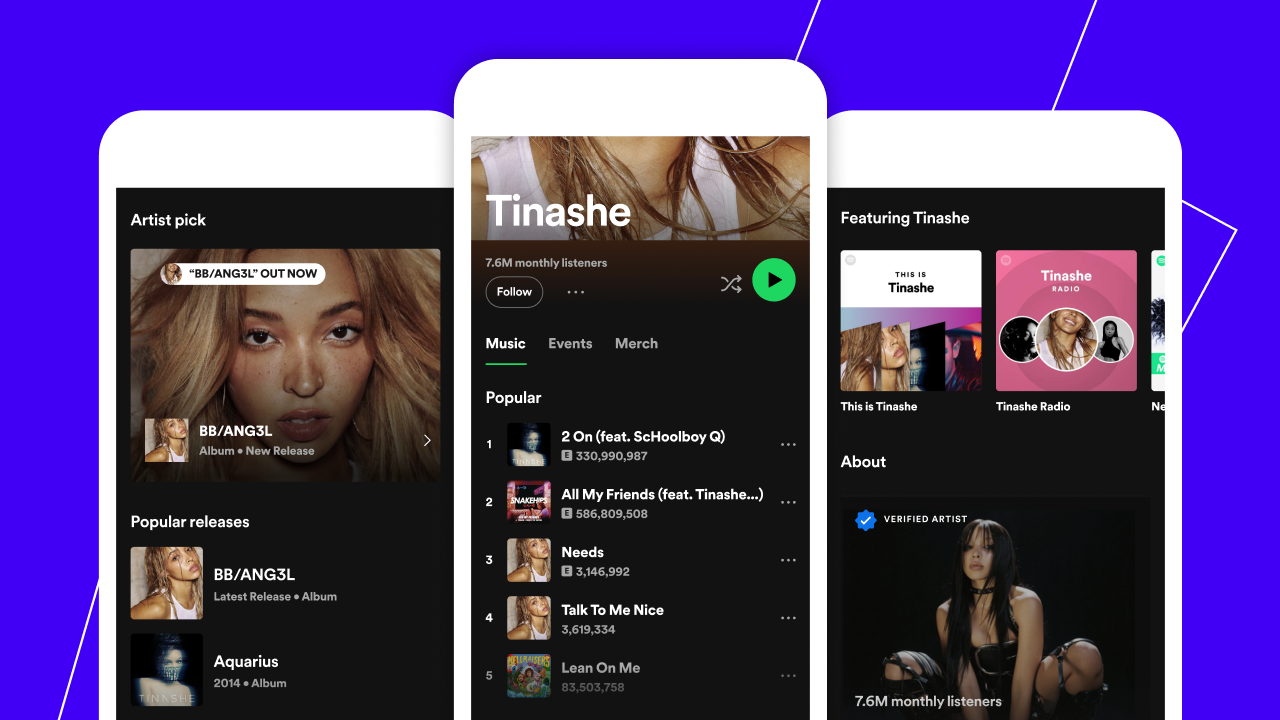
If you haven't claimed your Spotify for Artists profile, do that first. It's free and gives you control over your bio, images, Artist Pick, and playlisting features. For a step-by-step guide on claiming your profiles across all platforms, we've covered this in detail: How to Claim Your Artist Profiles on Spotify, Apple Music, Amazon, and More.
Once claimed, the SEO-relevant elements are:
Your bio. This is searchable text. Use natural language that describes your sound, genre, influences, and location. Don't stuff keywords, but do make sure the words a listener might search for appear naturally. If you make "lo-fi hip hop from Bristol," say that. If your sound sits between "indie folk and ambient electronica," say that too. Think about the language a fan or curator would use to describe you, and use those words.
For a deep dive on writing a Spotify bio that works, check out our guide on optimising your Spotify bio to engage new listeners.
Your genre tags. When you distribute a release, your distributor asks you to select genres. These tags directly feed Spotify's recommendation and search algorithms. Be specific. "Pop" is too broad. "Indie pop" is better. "Bedroom pop" or "dream pop" is even more targeted. The more precisely your genre tags match how listeners actually search, the better your discoverability.
Your Artist Pick. This is the pinned item at the top of your profile. Use it to highlight your latest release, a playlist you've curated, or an upcoming show. It signals to both listeners and the algorithm that your profile is active and current.
Canvas. Those looping videos that play behind your tracks on mobile? They're not just decorative. According to Spotify, tracks with Canvas loops see higher save and share rates, which feeds engagement signals back into the algorithm. A simple looping visual that matches your artwork is enough.
Track titles and metadata
Your track titles, album names, and metadata tags are how Spotify categorises your music internally. A few things to keep in mind:
- Make sure your distributor is passing through accurate genre and subgenre tags with every release
- Track titles should be clean and searchable. Creative titles are fine, but if your track is called "!!!xXx_nite_driveXxX!!!" it's going to be harder for search to match it to "chill night drive" queries
- The mood, tempo, and instrumentation metadata that your distributor collects all feed into algorithmic recommendations. Fill these out accurately every time
For a full guide on getting your metadata right across every platform, our Metadata 101 article covers everything you need to know before a release.
YouTube: The Biggest Music Discovery Platform You're Probably Ignoring
YouTube is the world's second-largest search engine and the single biggest platform for music discovery globally. Over 2 billion people use it monthly, and a huge proportion of music listening (especially for younger audiences) happens on YouTube rather than dedicated streaming platforms.
If you're releasing music and not optimising for YouTube search, you're missing a discovery channel that can drive listeners to your Spotify, your socials, and your entire world.
Video titles
Your video title is the most important piece of YouTube SEO. It needs to include your artist name, the track name, and ideally a keyword that describes the content. For a music video, a title like "Artist Name - Track Name (Official Music Video)" is the standard because it's what listeners search for. For lyric videos, live performances, or behind-the-scenes content, include those descriptors.
Avoid overly creative titles that obscure what the video actually is. YouTube's search algorithm needs to understand what your content is before it can recommend it.
Descriptions
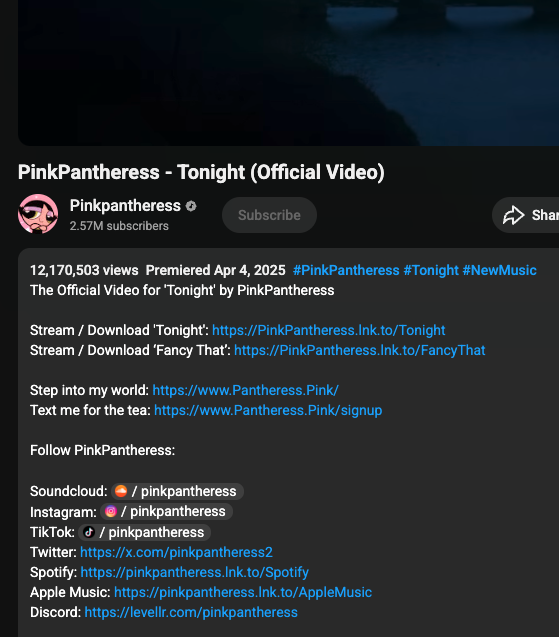
Your YouTube video description is prime SEO real estate, and most artists waste it by leaving it blank or writing a single sentence. Use the first 2-3 lines for a natural description of the track (genre, mood, what it's about) because this is what appears in search results before the "Show more" click.
Below that, include:
- Links to the track on Spotify, Apple Music, and other streaming platforms
- Links to your socials
- Credits (producer, mixer, featured artists)
- Relevant timestamps if the video has chapters
- A brief paragraph about you as an artist, using the same language as your Spotify bio
Tags and hashtags
YouTube tags are less powerful than they used to be, but they still help YouTube understand your content category. Include your artist name, genre, subgenre, and 5-10 relevant tags (e.g. "indie rock," "UK indie," "guitar music 2026," "new music").
Hashtags in the title or description (e.g. #indierock #newmusic2026) appear as clickable links above your video title and can drive discovery from viewers browsing those tags.
Consistency compounds
The artists who get the most out of YouTube SEO aren't the ones who upload one perfectly optimised video. They're the ones who apply these basics consistently across every upload. Over time, YouTube learns what your channel is about and recommends your content to viewers who watch similar music.
For help setting up your channel properly from the start, we've written a step-by-step guide: YouTube for Artists: Setting Up Your Channel. And for best practices on configuration, see YouTube Setup Best Practices for Artists.
Apple Music and Other Streaming Platforms
Apple Music, Amazon Music, Deezer, Tidal, and other streaming platforms all have their own search and recommendation systems. The good news is that the same metadata your distributor sends to Spotify also feeds these platforms. The bad news is that most artists don't realise there's additional optimisation they can do.
Apple Music
Apple Music's search relies heavily on metadata, but it also has editorial playlists and genre-based browse sections that are influenced by how your music is tagged. Make sure your distributor is sending accurate genre and subgenre information, and claim your Apple Music for Artists profile so you can customise your page.
Apple Music also supports animated album art (similar to Spotify's Canvas) and "short editorial notes" that appear alongside your releases. If your distributor supports these fields, fill them in with descriptive, keyword-rich copy about the track.
The metadata principle
Across every streaming platform, the principle is the same: the more accurately and descriptively your music is tagged, the more places it can appear. Genre, subgenre, mood, tempo, instrumentation, and lyrical themes are all signals that algorithms use to match your music to listeners. Most artists set these once during distribution and never think about them again. The artists who show up most consistently are the ones who treat metadata as a core part of their release process.
AI Search: The New Discovery Channel
This is where things get interesting, and where the biggest opportunity sits for independent artists who move early.
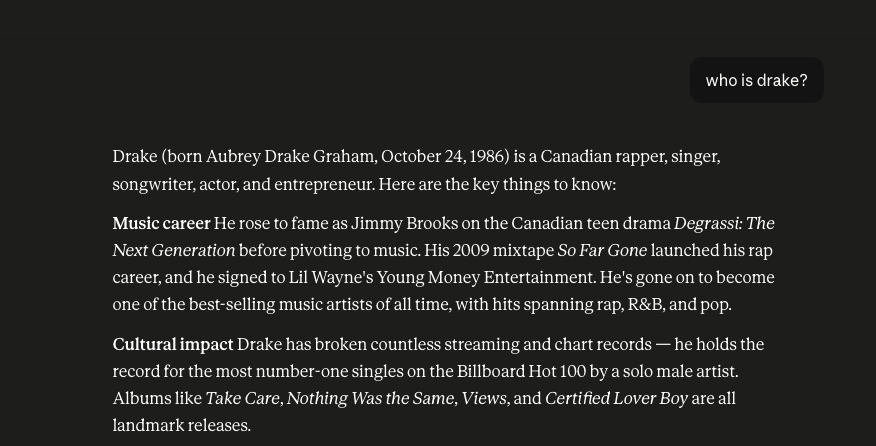
AI tools are rapidly becoming a way people discover music. The Spotify-ChatGPT integration (launched in late 2025 and expanded in 2026) means listeners can now ask ChatGPT to recommend music based on mood, genre, activity, or vibe, and receive personalised Spotify recommendations directly in the conversation. Google's AI Overviews are synthesising information from across the web to answer music-related queries. Perplexity, Claude, and other AI tools are being used by listeners, curators, and journalists to research and discover artists.
This creates a new kind of SEO that the industry is calling Generative Engine Optimisation (GEO): making sure AI tools can find, understand, and recommend your music.
How AI tools find your music
AI tools pull from a combination of sources:
- Your metadata on streaming platforms (genre, mood, descriptions)
- Your artist bios across Spotify, Apple Music, YouTube, and your website
- Press coverage, blog features, and interviews that mention your name
- Social media profiles and content
- Playlist placements (especially playlists with descriptive titles and descriptions)
The more consistent and descriptive your presence is across all of these, the more confidently an AI tool can recommend you when someone asks for something that matches your sound.
What you can do right now
Be descriptive everywhere. When you write your Spotify bio, don't just say "indie artist." Say "indie folk singer-songwriter from Glasgow making introspective songs about growing up in small towns." That specificity is exactly what AI tools use to match you to listener queries like "melancholic indie folk from the UK."
Be consistent across platforms. If your Spotify bio describes you as "electronic producer," your YouTube channel says "ambient musician," and your Instagram bio says "beatmaker," AI tools can't confidently categorise you. Use the same core language everywhere.
Get mentioned on third-party sites. AI tools, especially Google's AI Overviews, heavily favour information from independent third-party sources (blogs, press, interviews, podcast appearances) over your own profiles. Every blog feature, interview, or review is a signal that helps AI tools understand who you are and whether to recommend you.
Use descriptive playlist titles. If you curate your own playlists, give them descriptive, searchable titles ("Late Night Indie Acoustic" rather than "Sam's Vibes"). AI tools surface playlist information, and descriptive titles help your playlists (and the tracks on them) appear in relevant AI responses. We've written about why artists should be creating their own playlists and how to make them work for you.
Try it yourself. Open ChatGPT, connect your Spotify account, and ask it to recommend music that matches your sound. See what comes up. Look at the artists it recommends and study how they've described themselves. Then ask it to find you specifically. If it can't, that's a signal your online presence needs more descriptive, consistent content.
How to Tie It All Together (Without Spending All Day on SEO)
Reading all of this might feel overwhelming. You've got Spotify bios, YouTube descriptions, metadata tags, Google Knowledge Panels, and AI optimisation to think about. But here's the good news: most of this work overlaps, and most of it only needs to be done once per release.
The one-time setup (do this now)
- Claim your artist profiles on every platform: Spotify for Artists, Apple Music for Artists, YouTube, and Google Knowledge Panel
- Write one strong artist bio that describes your sound, genre, influences, and story. Adapt the length for each platform, but keep the core language the same
- Set up your YouTube channel with proper descriptions, tags, and links
- Make sure your social media bios use the same genre and descriptive language
If you find it hard to write about your own music (and most artists do), un:hurd's content creator Lyra can help you draft bio copy and pitch descriptions. Give it a few details about your sound and it'll generate a starting point you can adapt for each platform.
The per-release checklist
Every time you put out new music, run through these:
- Confirm your distributor is sending accurate genre, subgenre, mood, and instrumentation metadata
- Update your Spotify Artist Pick to feature the new release
- Add a Canvas loop to the new track
- Upload your music video or visualiser to YouTube with an optimised title, description, and tags
- Update your website (if you have one) with the new release
- Pitch for playlist placements, blog features, and press coverage (each one creates a new signal for AI discovery)
un:hurd's Release Cycles include profile optimisation and metadata setup as part of your 8-week release plan. That means SEO isn't a separate task you have to remember; it's built into the process alongside your playlist pitching, social content, and ad campaigns.
The long game
SEO compounds. A social media post disappears in hours. A well-optimised Spotify profile, YouTube video, or blog article keeps driving discovery for months or years. Every release where you apply these basics makes the next one easier to find, because search engines and AI tools build a stronger picture of who you are with every new piece of consistent information.
The independent artists who are easiest to find in 2026 aren't the ones who gamed an algorithm. They're the ones who described their music clearly, showed up consistently across platforms, and treated metadata like it mattered. Because it does.
👉 Start your release plan on un:hurd and get SEO-ready profile optimisation built into your 8-week release strategy.
💬 Quick tip: search for your own artist name on Google, Spotify, YouTube, and ChatGPT right now. If the results don't accurately represent who you are and what your music sounds like, that's your starting point. Update your bios, fix your metadata, and make sure every platform tells the same story.
.png)