How to Use Data to Choose Playlists and Pitch Curators: A Guide for Independent Artists
Use your Spotify data to choose playlists that fit, check curators before you pitch and learn what they score you on, with tips for reading results after.
By Sam Blackie, Head of Growth at un:hurd music
Last updated: 26 October 2026
Key Takeaways
- Start with your own Spotify for Artists data before you choose playlists. Your source of streams and your saves show which song to pitch and what kind of listener already likes it.
- A playlist is worth pitching when it sounds like your track, has artists similar to you on it, gains followers steadily and has a curator who is still active.
- un:hurd music's playlist pitching recommends playlists by sound fit and by overlap between your similar artists and the artists already on each playlist, across up to 3,000 playlists from 598 curators.
- Independent curators judge a submission on production quality, track appeal and playlist fit. On un:hurd, every declined pitch comes back with written feedback and a score for each of the three.
- Pitch Spotify's own editors separately, from Music > Upcoming in Spotify for Artists, at least 7 days before release. Independent curators on un:hurd can be pitched once the song is live.
To use data to choose playlists, start with your own listening data and then check each playlist's fit and health before you pitch. The questions to ask are whether it sounds like your track, whether artists similar to you are already on it, whether it's gaining followers and whether the curator is still active. Shortlisting this way gives you fewer pitches that are better matched, and those are the ones curators accept. Tools such as un:hurd music's playlist pitching do the matching for you by comparing your track's sound and similar artists with each playlist, and show each curator's average response time before you spend anything.
This guide covers how to shortlist playlists with data, what curators look for when they review a submission and how to tell whether your pitching is working. It also covers how independent artist George Bone got about a third of the streams on one single from a single well-matched playlist.
How to use data to choose which playlists to pitch
Choose playlists by matching them against what your own data says about your music, then checking each playlist's health before you pitch. Your data tells you which song to lead with and who it appeals to. A playlist's data tells you whether its listeners are likely to be those people.
Start with your own Spotify for Artists data
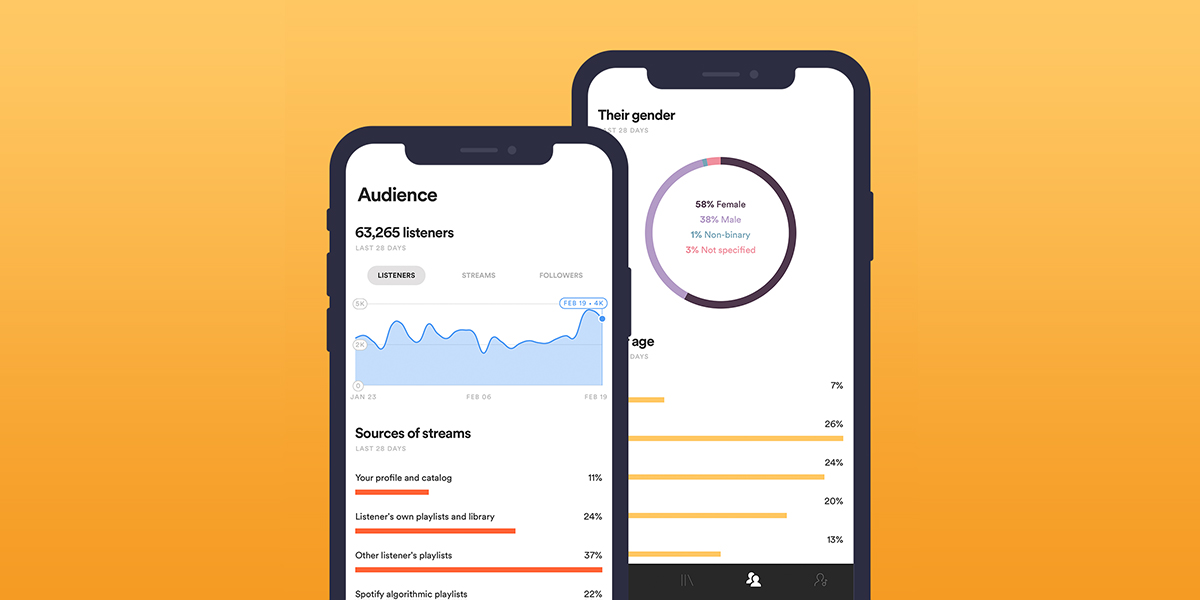
Open Spotify for Artists and look at source of streams for your recent songs. It splits your streams into active sources (your profile, listeners' own libraries and playlists, and their queues) and programmed sources (editorial playlists, other listeners' playlists, and algorithmic ones such as Discover Weekly, Release Radar and Radio). A song that already picks up programmed streams is one Spotify's systems are willing to recommend, which makes it a good candidate for pitching.
Saves are the other number to check. Spotify counts a save each time someone taps the plus button to add your song to their library. A song with plenty of saves for its number of listeners is one people want to come back to, and that's the song to put in front of curators first.
The signals that show a playlist's reach and quality
Before you add a playlist to your shortlist, check five things about it:
- Sound and genre fit. Play the first few tracks and ask whether your song would sit naturally among them.
- Similar artists. Look for artists your listeners also listen to. If they're on the playlist, its listeners are more likely to save your track.
- Follower growth. Steady growth week on week is a good sign. A big overnight jump with no change in activity is worth a closer look.
- Recent activity. A playlist that hasn't been updated in months probably isn't being listened to much either.
- A legitimate curator. Spotify says services that sell guaranteed streams or playlist placements breach its terms and can get your music removed, so never pay for a placement.
Our guide on how to evaluate a Spotify playlist's quality walks through these checks step by step, and the Spotify playlist safety guide covers how to spot a playlist with fake followers.
How un:hurd shortlists playlists for you
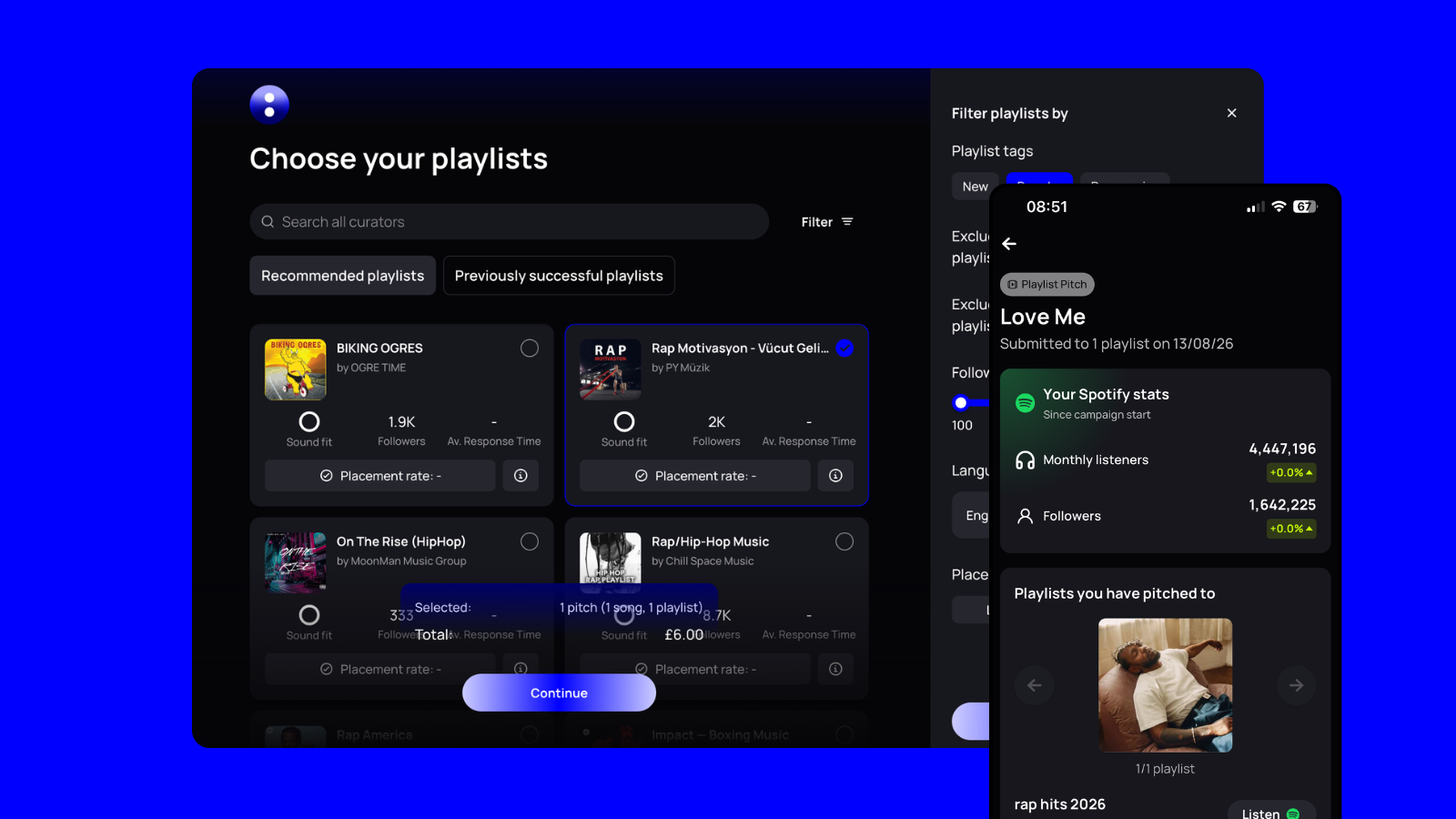
un:hurd music's playlist pitching gives you up to 3,000 playlists to pitch to from 598 curators, and it recommends the ones that suit your track in two ways. The first is sound fit, where un:hurd compares the sound of your song with the music on each playlist. The second is similar artists, where it crosses the artists similar to you with the artists already on the playlist. Matching on both cuts out playlists that share your genre label but not your audience.
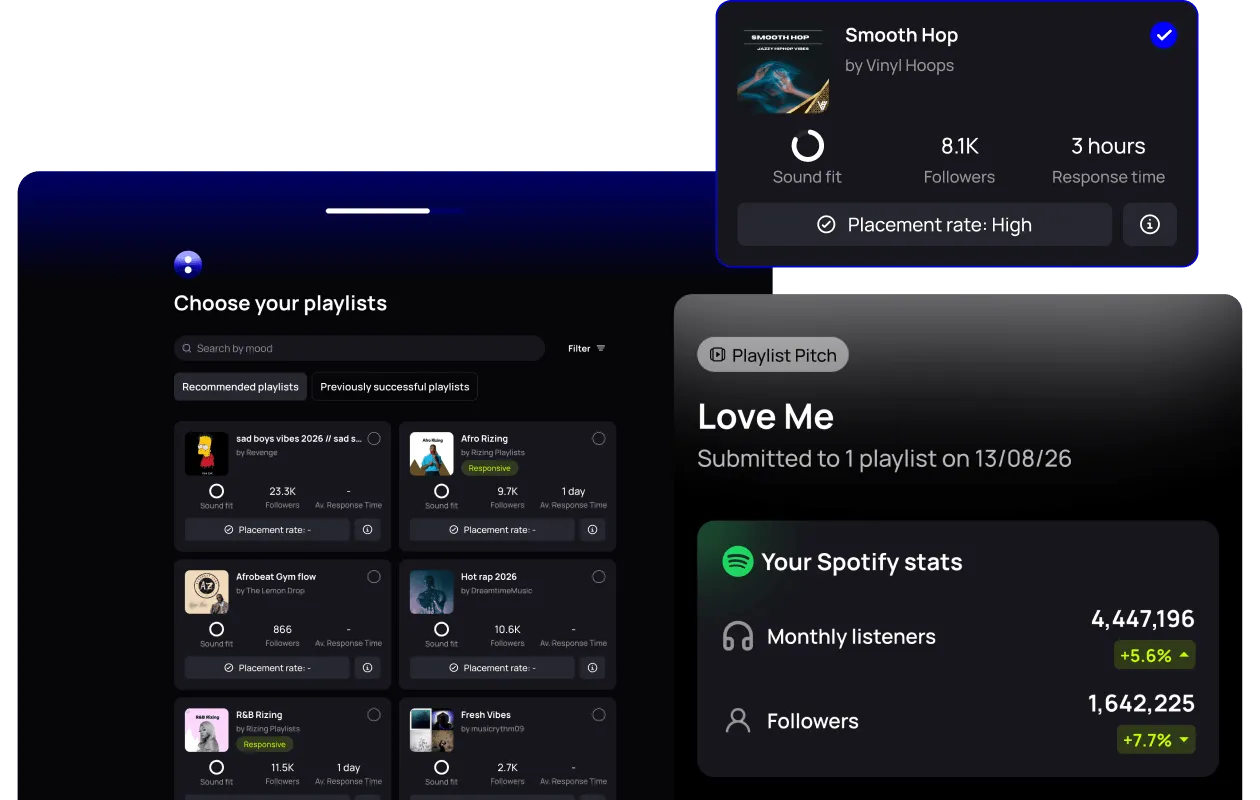
You can also filter playlists by size, genre and vibe, search for a curator by name and open a tab of playlists that have accepted your music before. Each playlist card shows the curator's average response time and a placement rate, which is the percentage of songs pitched to that curator that get placed on the playlist. Together they show how a curator behaves before you spend a pitch.
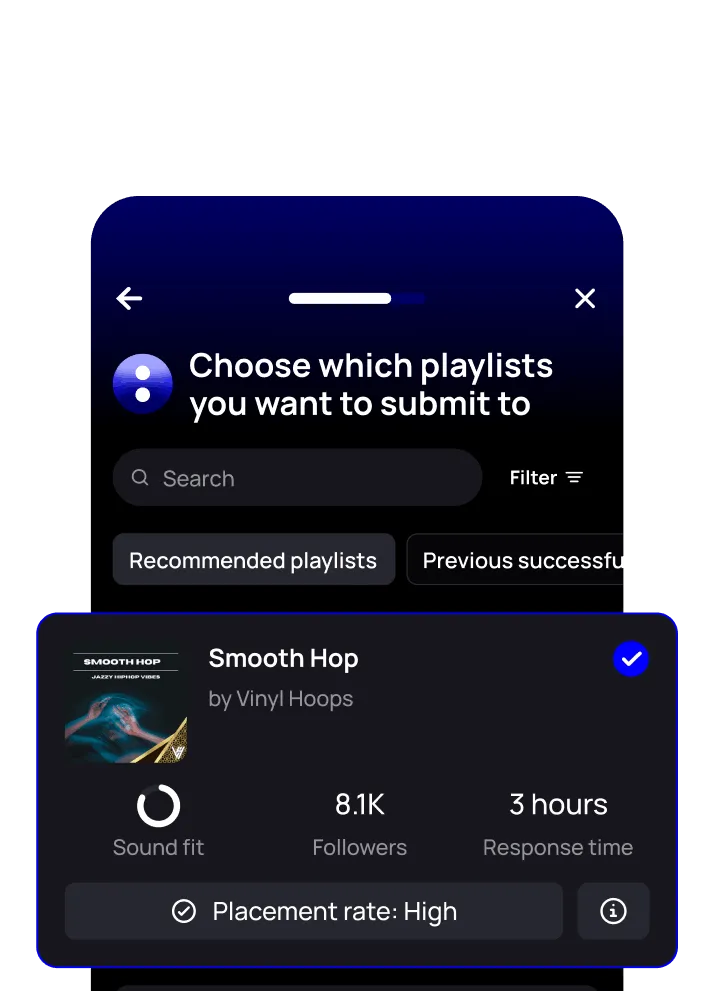
The un:hurd team vets curators too. They check each playlist's weekly follower growth and add a track to the playlist to see how it engages.
To start, tap the blue Promote button in the un:hurd app or the playlist pitching card on your home screen. You can pitch a song through un:hurd once it's live on Spotify, so use a similar song of yours that's already out to plan your shortlist in the weeks before release.
What playlist curators look for when they review a submission
Curators look for a well-produced track that their listeners will enjoy and that sits naturally next to what's already on the playlist. Spotify's editors and independent curators review in different ways, so pitch each one on their own terms.
What Spotify's editors ask for
Spotify's editors only take pitches through Spotify for Artists. Your unreleased song appears under Music > Upcoming around 48 hours after your distributor submits it, and you should pitch it from there at least 7 days before release. Pitching that early also means Spotify uses your pitched song for your followers' Release Radar.
Spotify's own guidance sets a few limits:
- You can pitch one song at a time, and you can pitch another once the pitched song goes live.
- You can't pitch compilations, songs where you're only the featured artist or anything already live.
- More detail in the pitch form gives the song a better chance.
- Editors might playlist a different song from the release, and pitching doesn't guarantee a placement.
What independent curators score you on
On un:hurd, curators score every declined pitch on production quality, track appeal and playlist fit, and they add written feedback. Those three scores make a useful checklist before you pitch anywhere.
Production quality is about whether the mix and master hold up next to the other songs on the playlist. Listen to your track straight after two or three of theirs at the same volume.
Track appeal is whether the song grabs a listener quickly. If the strongest part of your song arrives late, think about leading with a different single.
Playlist fit is the one you control most, because it comes down to your shortlist. A strong song pitched to the wrong playlist still gets declined.
Expect plenty of declines even when you get this right. In the three months to 14 October 2026, curators on un:hurd accepted 2,424 pitches and declined 5,310. Read the feedback on each decline and use it to sharpen your next shortlist.
Example: one well-matched playlist and George Bone's single
George Bone, an independent artist, pitched his single 'Til the world ends' through un:hurd's playlist pitching and landed it on the playlist Slow Dance. About a third of the song's streams came from that one playlist.
His wider record shows that declines are part of the process for everyone. As of 14 October 2026, George had 21 pitches accepted and 24 declined on un:hurd. A single playlist that suited his sound did more for the song than a long list of loose matches would have.
How to tell whether your playlist pitching is working
You can tell playlist pitching is working when your listeners and followers rise after placements and listeners start saving the song. Check those numbers over a few weeks, since one day of streams tells you very little.
Read the pitch stats
In un:hurd, each playlist pitch campaign has a stats screen showing how your Spotify monthly listeners and followers changed over the 4 weeks after the campaign started. Compare that with the weeks before the pitch, and keep in mind that monthly listeners is a rolling 28-day count, so it moves with release timing.
Use declined-pitch feedback
Every declined pitch on un:hurd comes back with written feedback and the three scores. Mark the feedback you found helpful. If several curators give you a low playlist fit score, the problem is usually your shortlist. If production quality scores are low across the board, look at the mix before you pitch again.
Watch your save rate and Popularity score
If your save rate climbs above 12% in the first week of a release, listeners are adding the song to their libraries, and that's the moment to push harder with independent playlist pitching, since curators read save rate as a sign of quality. Insights in un:hurd also flags when a track's Spotify Popularity score passes 15 and keeps climbing, and suggests pitching it to five playlists that week.
For when to pitch around a release, read our playlist pitching timeline. To weigh up what you spend against what you get back, read is playlist pitching worth it.
Practical tip: keep a pitch log
Keep a simple spreadsheet of every playlist you pitch, with the song, the date, the curator's response and any scores or feedback. After a few releases you'll see which curators accept your music, which kinds of playlist decline you and which songs land most often. That log becomes your shortlist for the next release, whichever pitching tool you use. You can use un:hurd for this too as it saves all campaign data in the app.
For a wider view of how services compare, read un:hurd vs Groover vs SubmitHub, and for the full process from first pitch to follow-up, read our playlist pitching guide.
The short version
Use data at both ends of a pitch. Start with your own Spotify for Artists numbers to pick the song that's already earning saves and programmed streams. Then shortlist playlists that sound like your track, carry artists similar to you, grow steadily and have an active curator. Pitch Spotify's editors from the Upcoming tab at least 7 days before release, and pitch independent curators once the song is live. After that, read the feedback and watch your listeners, followers and save rate so your next shortlist is sharper than the last.
Start a pitch in un:hurd music
If you've got a song live on Spotify, open un:hurd music at app.unhurdmusic.com and tap the blue Promote button to see the playlists recommended for it, with each curator's average response time on the card. Monthly membership includes one £6 playlist pitch each month, and there's a 7-day free trial.
About the author
Sam Blackie is Head of Growth at un:hurd music, where he works on how independent artists plan releases, pitch to playlists and run ads.